
Download FB Video: A Simple Guide to Downloading Facebook Videos
Facebook is one of the largest social media platforms in the world, offering a wide range of engaging videos. Many users intend to download Facebook videos for various purposes, including educational use, multimedia projects, or simple entertainment.
As one of the world’s biggest social media sites, Facebook allows users to share various types of content, including interesting videos. Unfortunately, some videos on Facebook cannot be saved directly to the devices we use. As a result, many users look for ways to download videos from Facebook and watch them offline. In this article, we will explore several methods for downloading Facebook videos, including using apps, third-party websites, or even without using the Facebook app at all.
Why Download Facebook Videos?
There are several reasons why someone might want to download Facebook videos, such as:
- Watching videos offline without an internet connection
- Taking clips from Facebook videos for multimedia purposes
- Archiving important or inspiring videos for future reference
- Sharing videos with others without needing to access Facebook through the app or browser
There are countless uses for downloading Facebook videos. However, it’s important to remember that users should only download videos for personal use and must not violate the copyright of the content owner. If you wish to use clips on another platform, it’s best to include the video’s source as a form of credit to the original creator.
How to Download Facebook Videos
Here are seven practical methods you can use to download Facebook videos:
1. Using Third-Party Applications
This method is suitable for users who want ease and extra features like video quality options. You can download Facebook videos using specific apps such as Snaptube or Friendly, which help speed up the downloading process.
2. Using Web-Based Downloaders
This method does not require app installation. You simply need to copy the video URL and paste it into a downloader website. Recommended websites include:
Steps:
- Find the Facebook video you want to download
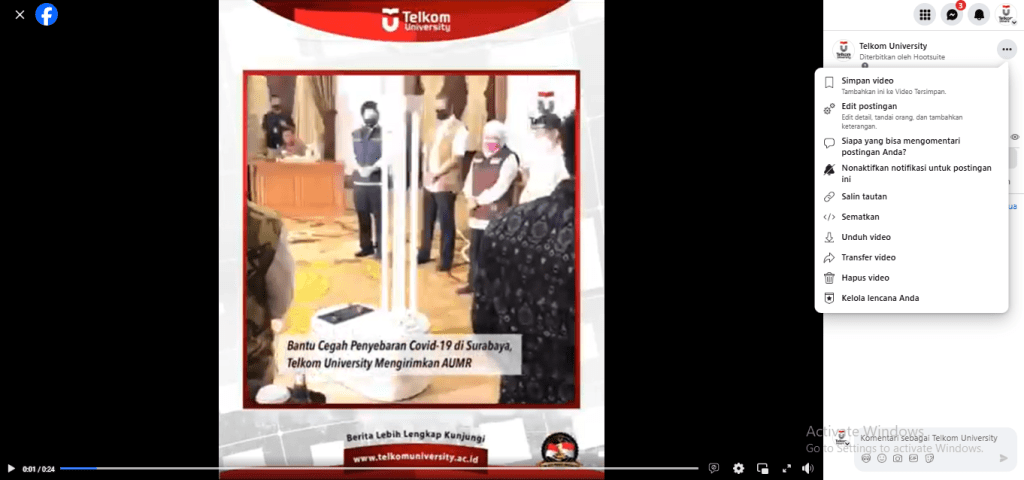
Find the Facebook video you want to download
- Copy the video’s URL
- Open one of the downloader sites
- Paste the URL into the provided field
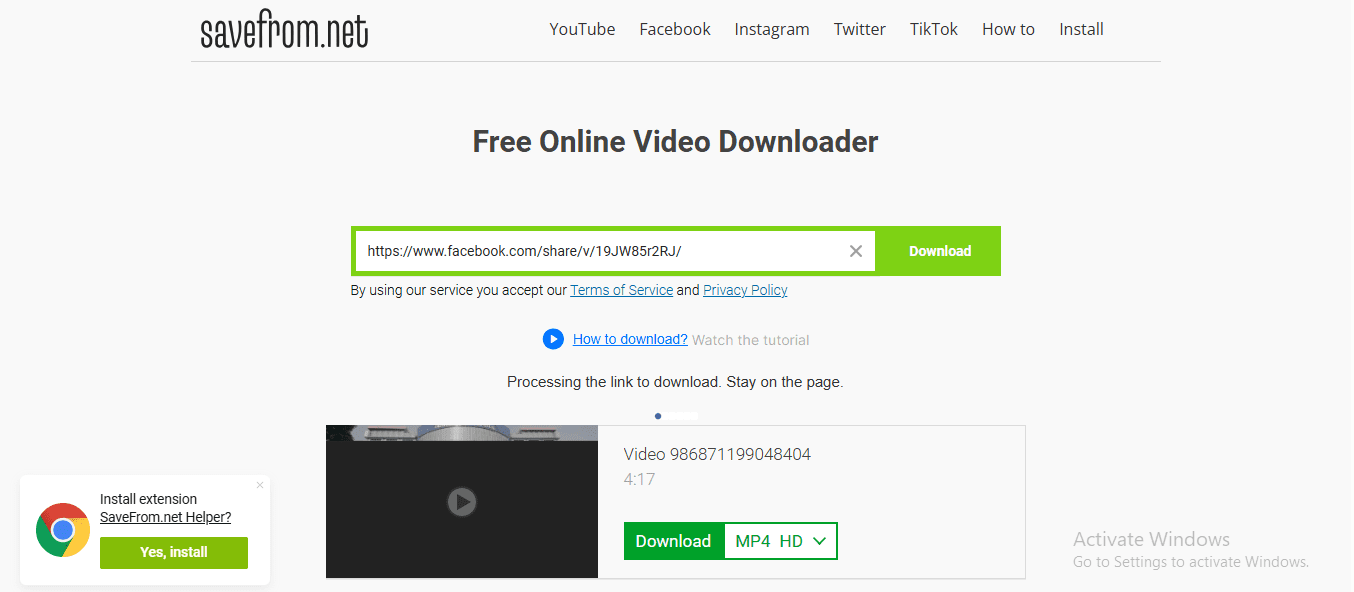
- Choose video quality (SD or HD)
- Click “Download” and the video will be saved to your device
3. Using Browser Extensions
If you frequently download videos from Facebook, browser extensions such as Video DownloadHelper for Chrome or Firefox can be very useful. These extensions detect playing videos and offer a direct download option.
4. Via the Facebook Mobile App (If Available)
Some versions of the Facebook mobile app provide a feature to save videos for offline viewing within the app. Although it doesn’t save the video permanently to your device’s gallery, it’s a convenient alternative for watching without internet access.
5. Using Scripts or Developer Tools
For advanced users, you can use the browser’s Developer Tools to find the original video link within the page’s source code and download it directly. This method is more technical and requires basic knowledge of web technologies.
Read Also: What is TikTok Coins
Safe Tips for Downloading Facebook Videos
To ensure a safe and smooth downloading experience, follow these precautions:
- Avoid suspicious download sites or those asking for personal information such as passwords
- Use antivirus or anti-malware programs when accessing third-party sites
- Do not re-upload videos without permission from the copyright owner
- Always respect Facebook’s copyright rules and community policies
Read Also: How to Download TikTok Videos
Conclusion
Downloading Facebook videos is no longer a complicated task. There are several easy methods available to suit user needs and preferences—whether using a browser, websites like SaveFrom or Fbdown.net, or apps like Friendly and Snaptube. For more tech-savvy users, manual downloads without apps or websites are also possible. However, always ensure that the download process is conducted legally and ethically.
By following this guide, you can now save your favorite videos from Facebook and enjoy them anytime, without relying on an internet connection.
References
Author: Meilina Eka A | Directorate of Information Technology Center